Saving Recovery Keys
Element encrypts messages by default; this significantly increases both security and privacy. However, it also makes recovering an account more difficult. If you take a moment now to save your Element recovery key, you can regain access to your message history in the future should you ever loose account access.
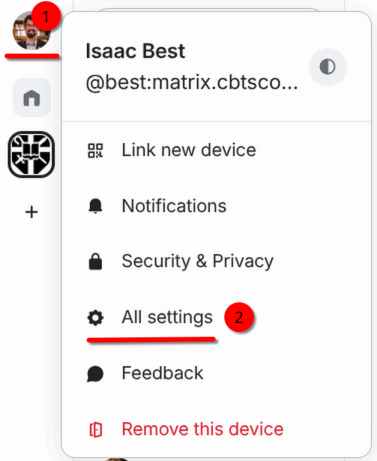
- In Element, click your profile icon on the top left. Then Select "All settings".

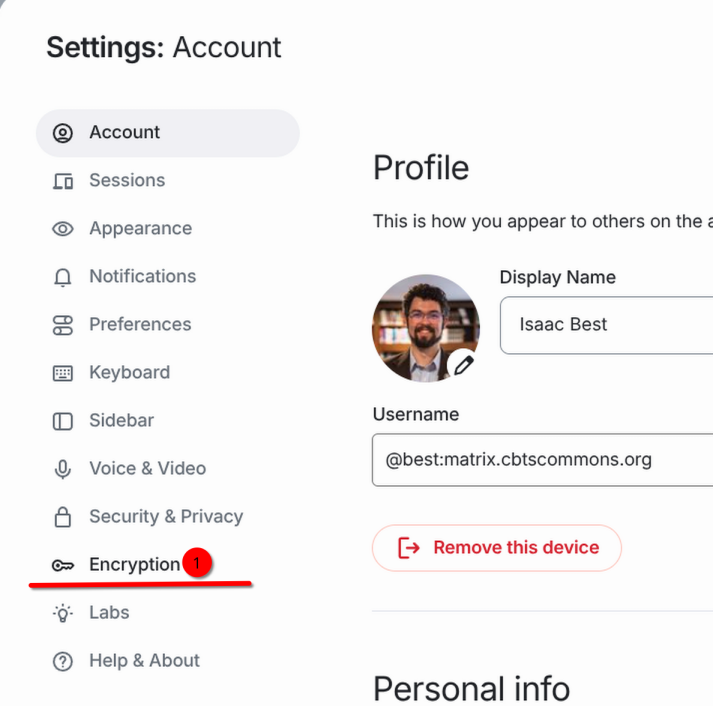
- A Settings window will open. Select "Encryption" in the left sidebar.

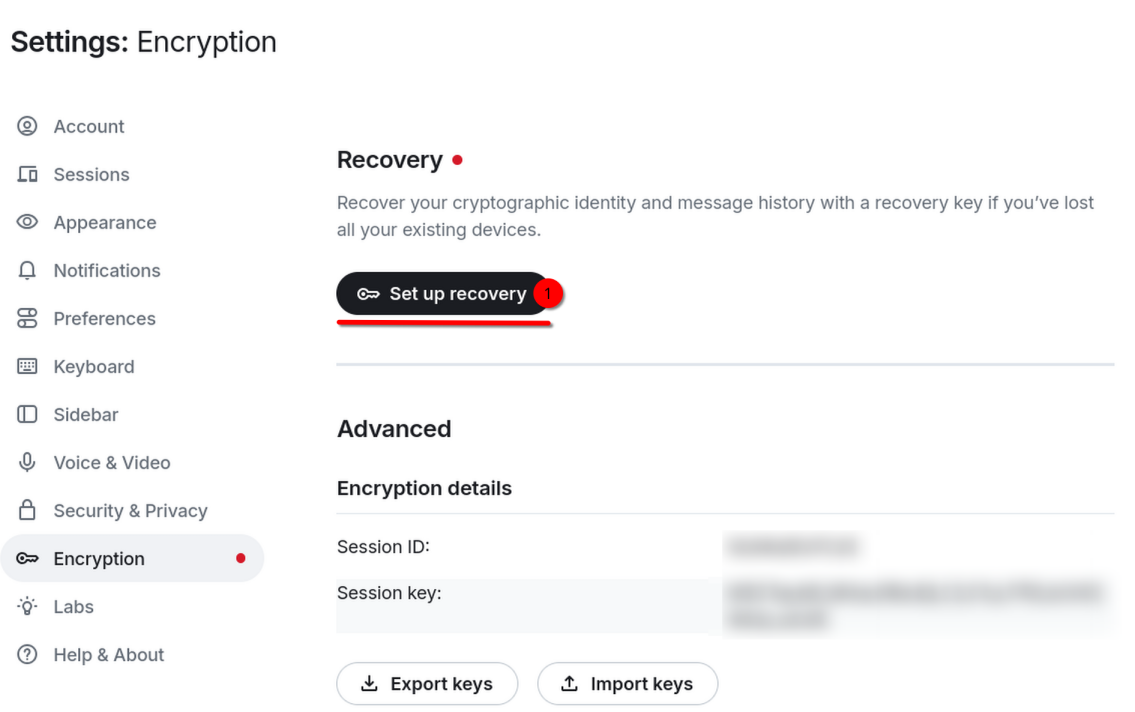
- Select "Set up recovery".

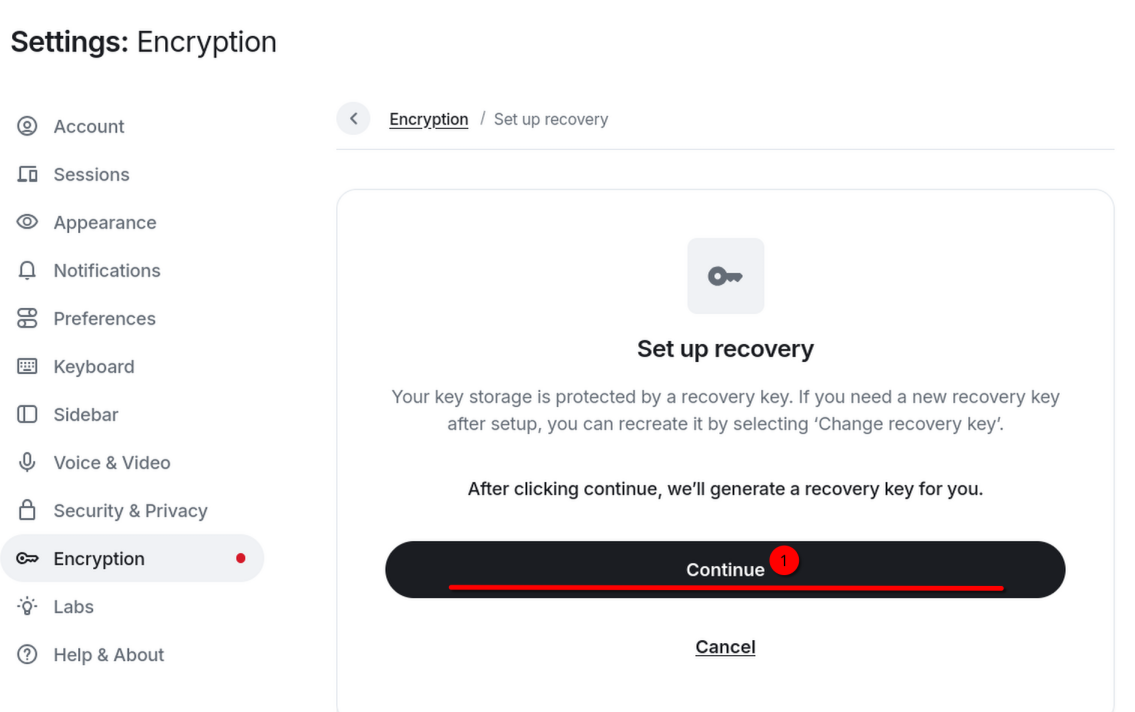
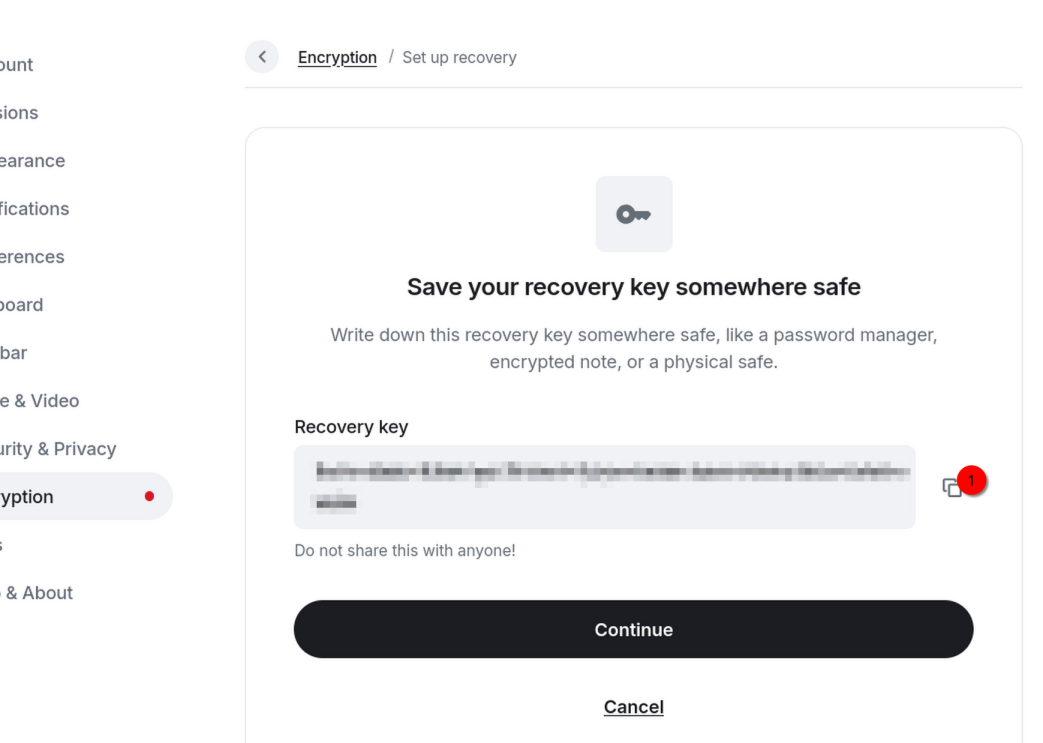
- Select "Continue".

- Copy the recovery key and save it in a safe place, such as a note in your Vaultwarden account.

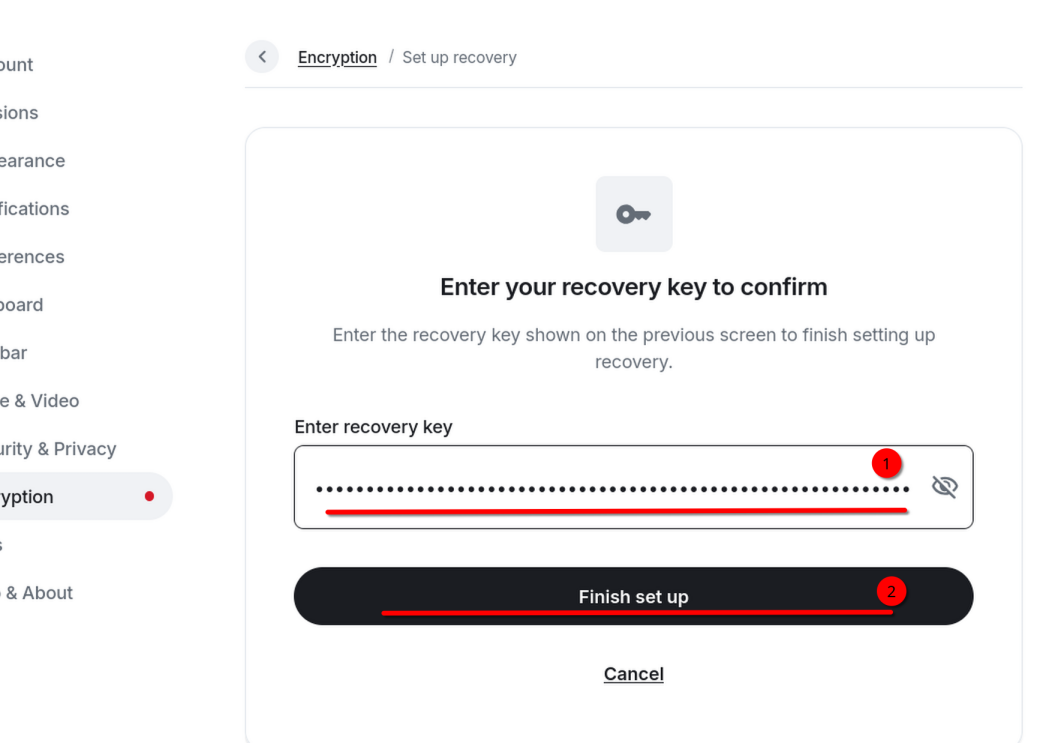
- Click Continue. Paste your recovery key in the box. Then click "Finish set up".