Replying to a ticket
Once
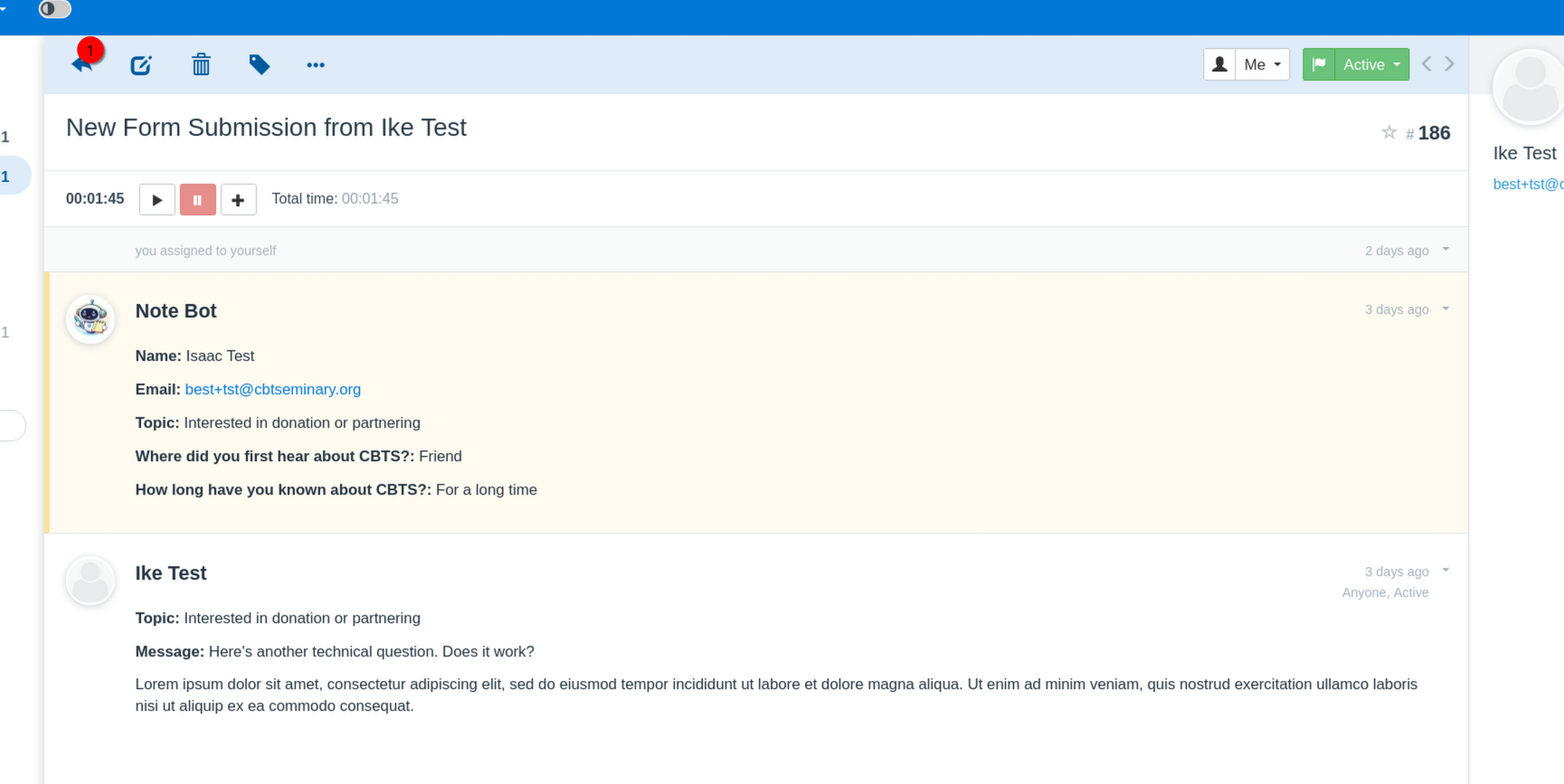
in the ticket view
, click the arrow on the top left of the ticket window area.
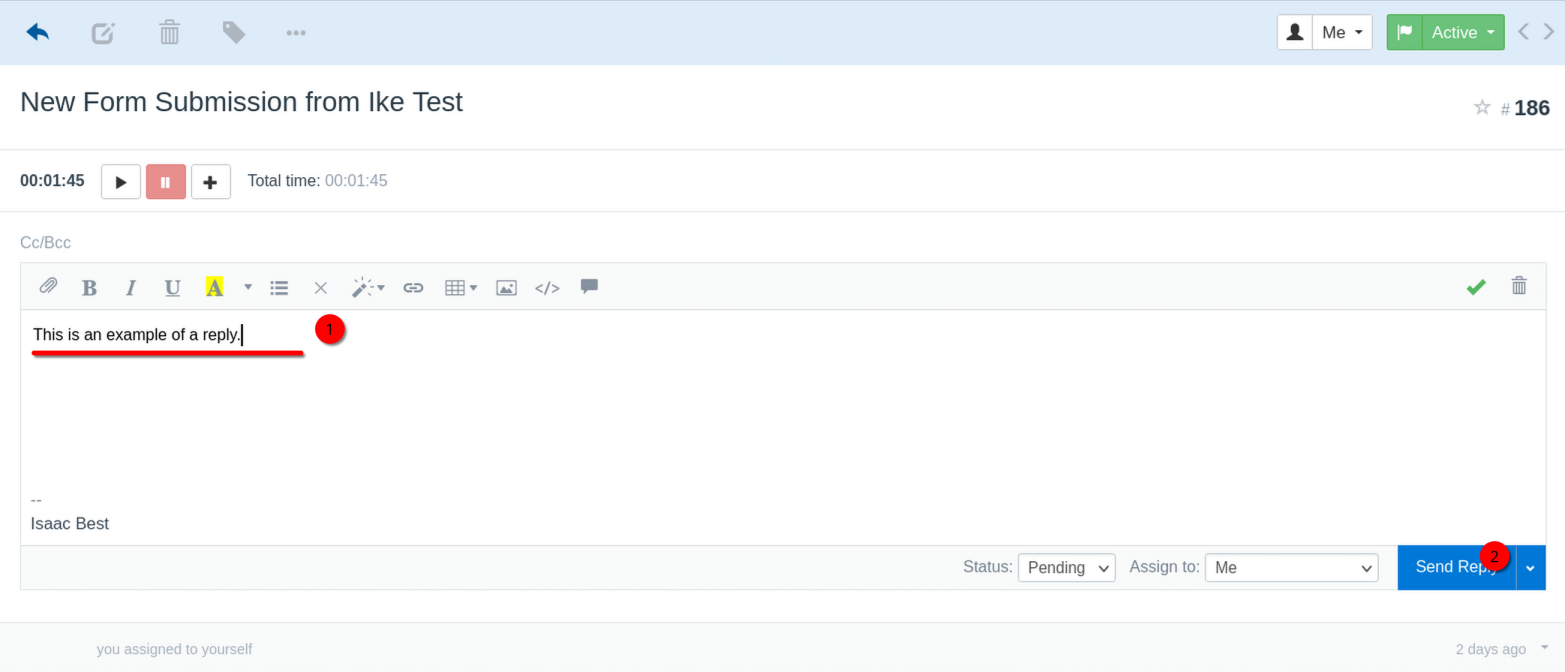
A reply section will open. Type your reply here, then click "Send Reply".
Your reply is sent.
Revision #1
Created 2026-05-04 22:02:02 UTC by Isaac Best
Updated 2026-05-04 22:06:20 UTC by Isaac Best