Set up
Install the Element Client
Download the Element client for your device - https://element.io/en/download. Install it.
Note that you can also use Element directly in your browser. To do that, skip to the next step.
Sign in to Element
This section assumes you are signing in to Element for the first time. If you have signed in before, you will have additional steps after step 4 below.
(If using Element in the browser, simply go to https://element.cbtscommons.org/ and select "Continue with Authelia". Login with your credentials and you will be taken back to Element. You are now ready to use Element.)
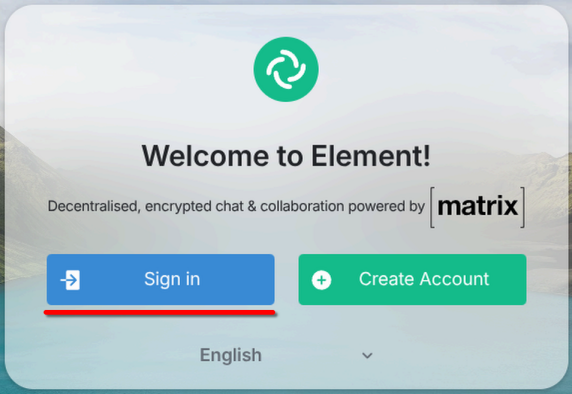
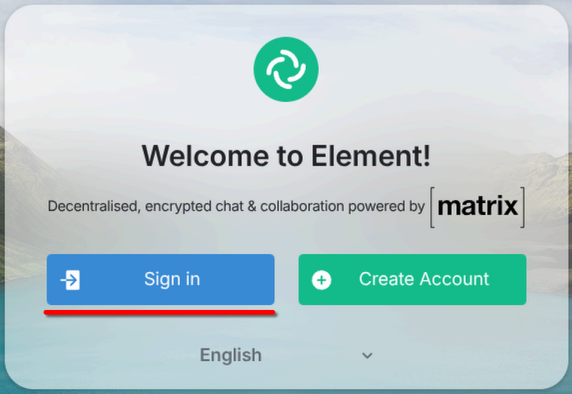
- Open the Element client. Select "Sign In".
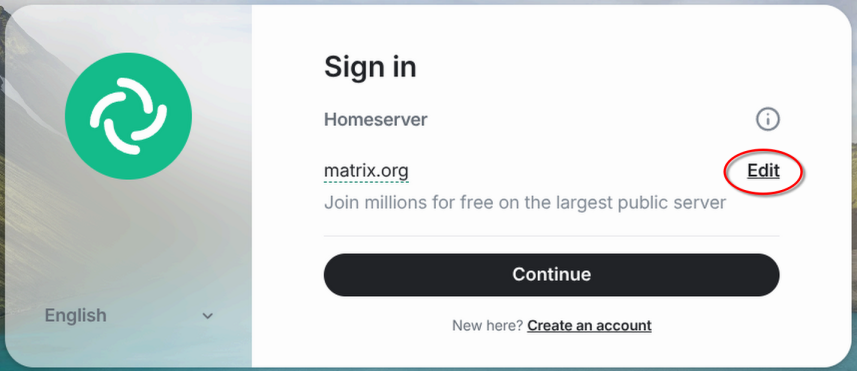
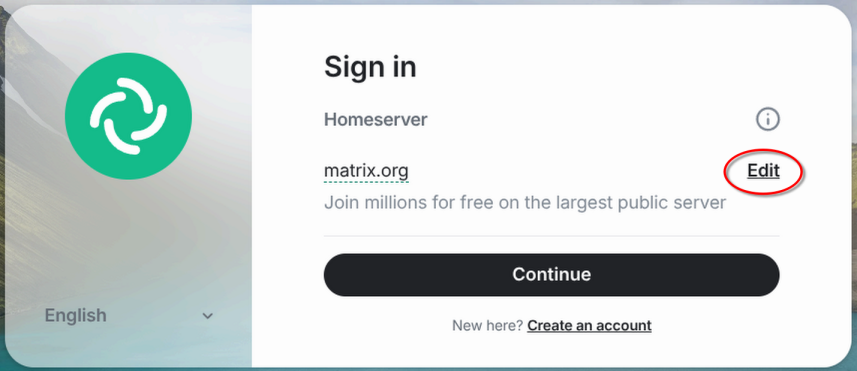
- Select "Edit" under "Homeserver".
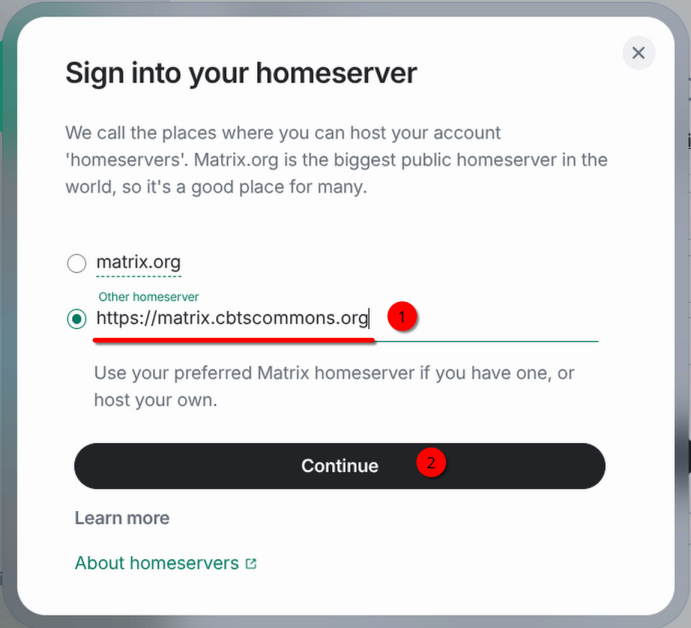
- Select "Other homeserver" and enter the following in the input box:
Select "Continue".https://matrix.cbtscommons.org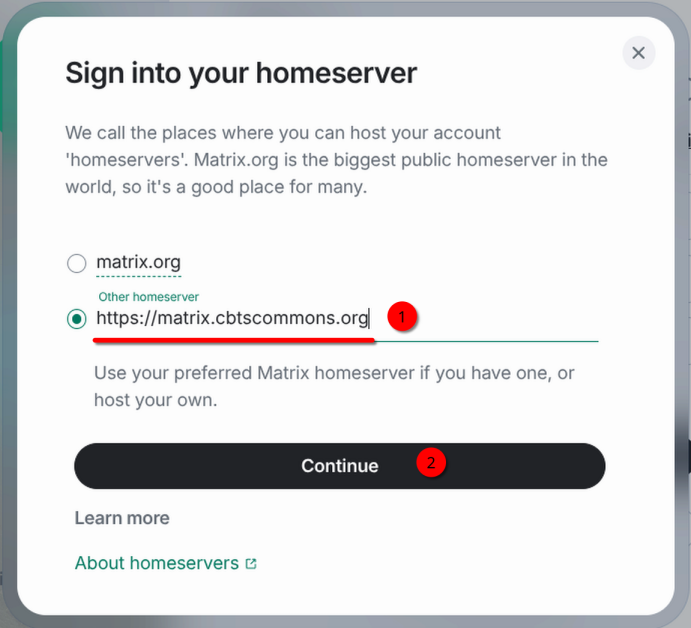
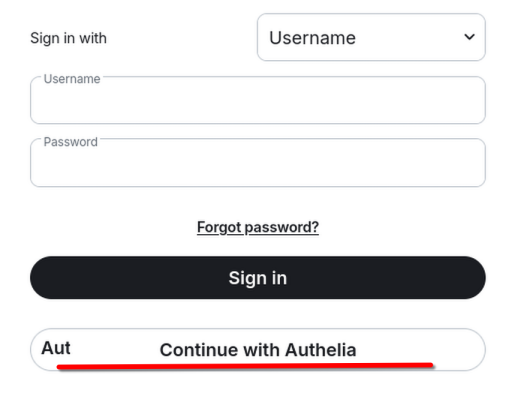
- Sign in using your CBTSCommons.org credentials.
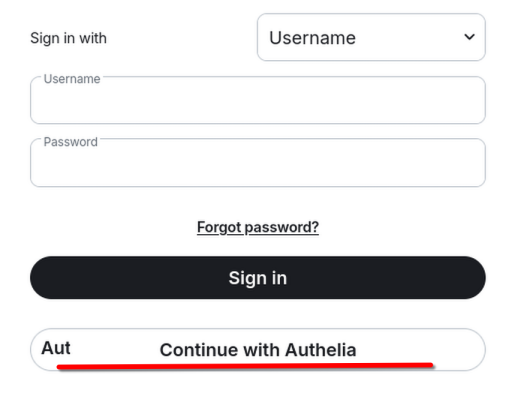
You can either enter them directly in the Username & Password input boxes or use the "Continue with Authelia" option. Authelia is the recommended method but either works.
- If you select "Continue with Authelia", you will be taken to your browser to complete signing in.
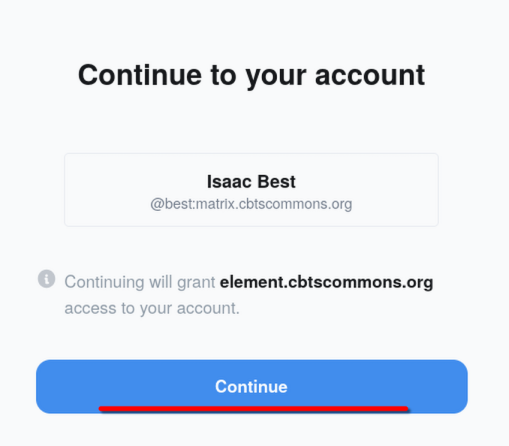
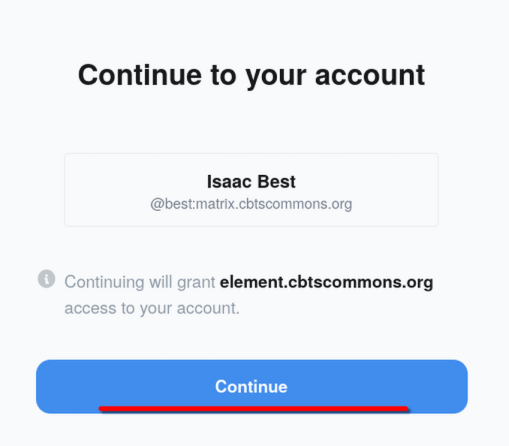
- Select "Continue" to authorize/sign in to Element.
- You are now signed in.
- If you select "Continue with Authelia", you will be taken to your browser to complete signing in.