Recording Limitations
Only local recording is supported
Currently, only the local recording option is available in Jitsi. The "default" recording option is non-functional.
Supported browsers
The local recording option is only available in Chrome-based browsers. If you are using Firefox or a Firefox based browser, the option will not be visible.
Recording using Brave
If you are using Brave, a browser setting must be enabled before the local recording option is available.
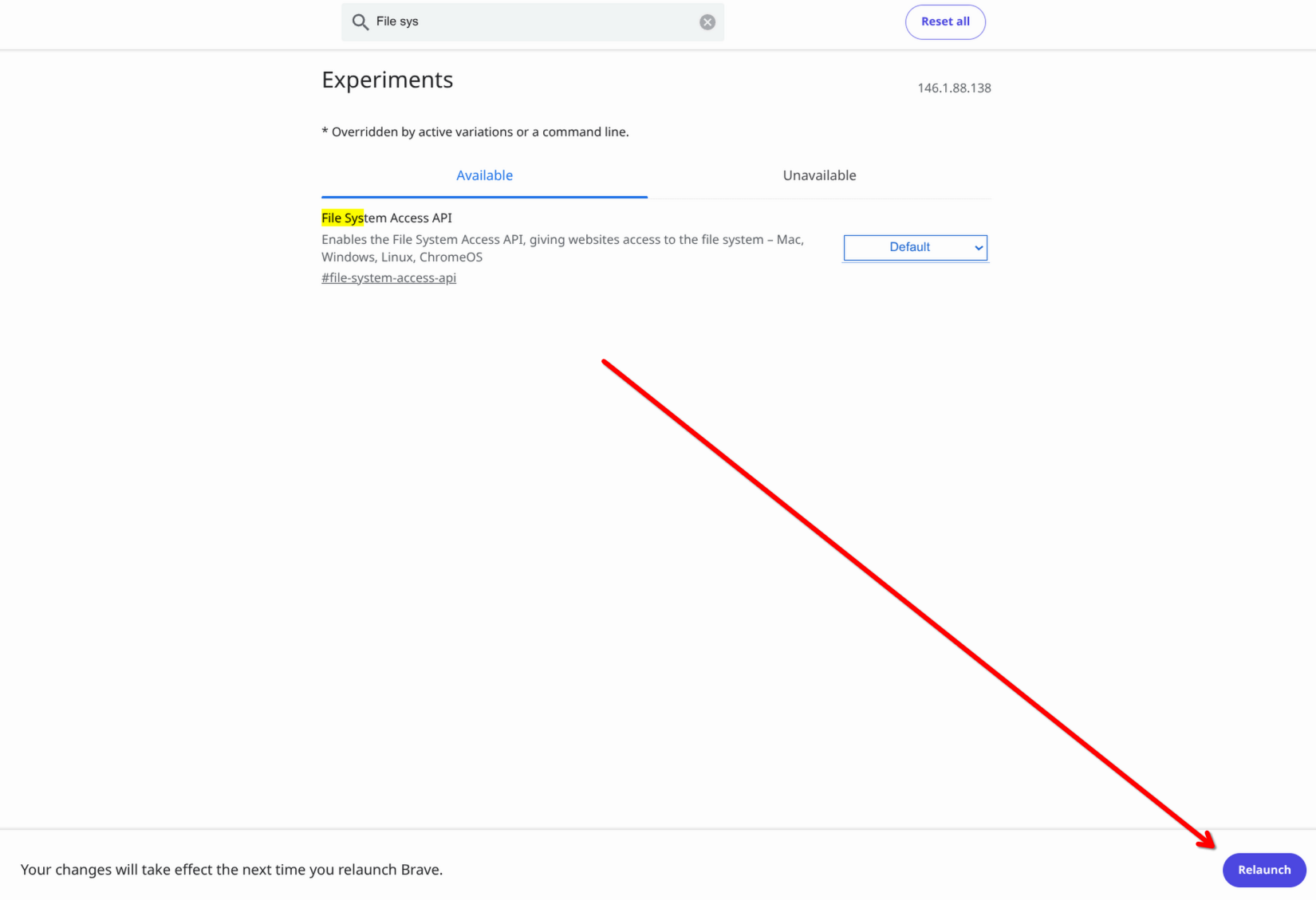
- Open a new tab and navigate to brave://flags.
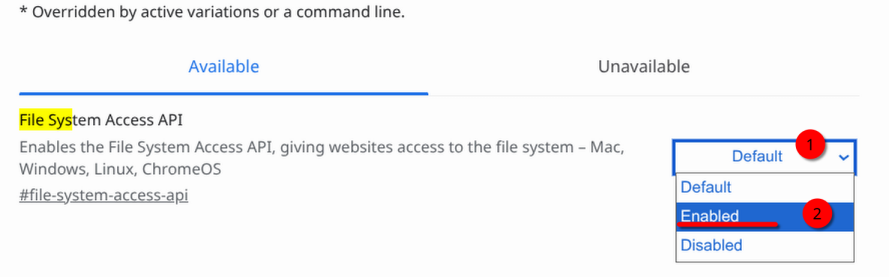
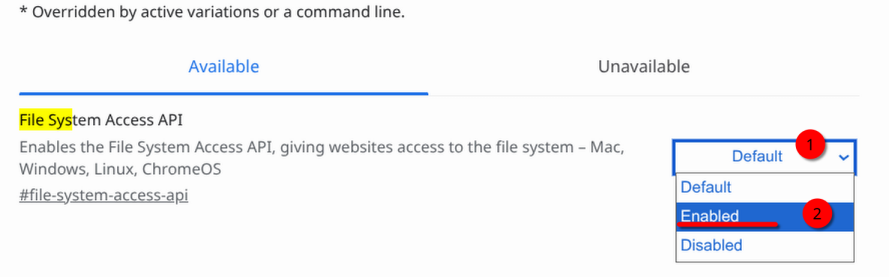
- Search for
File System Access API - Change the setting to "Enabled".
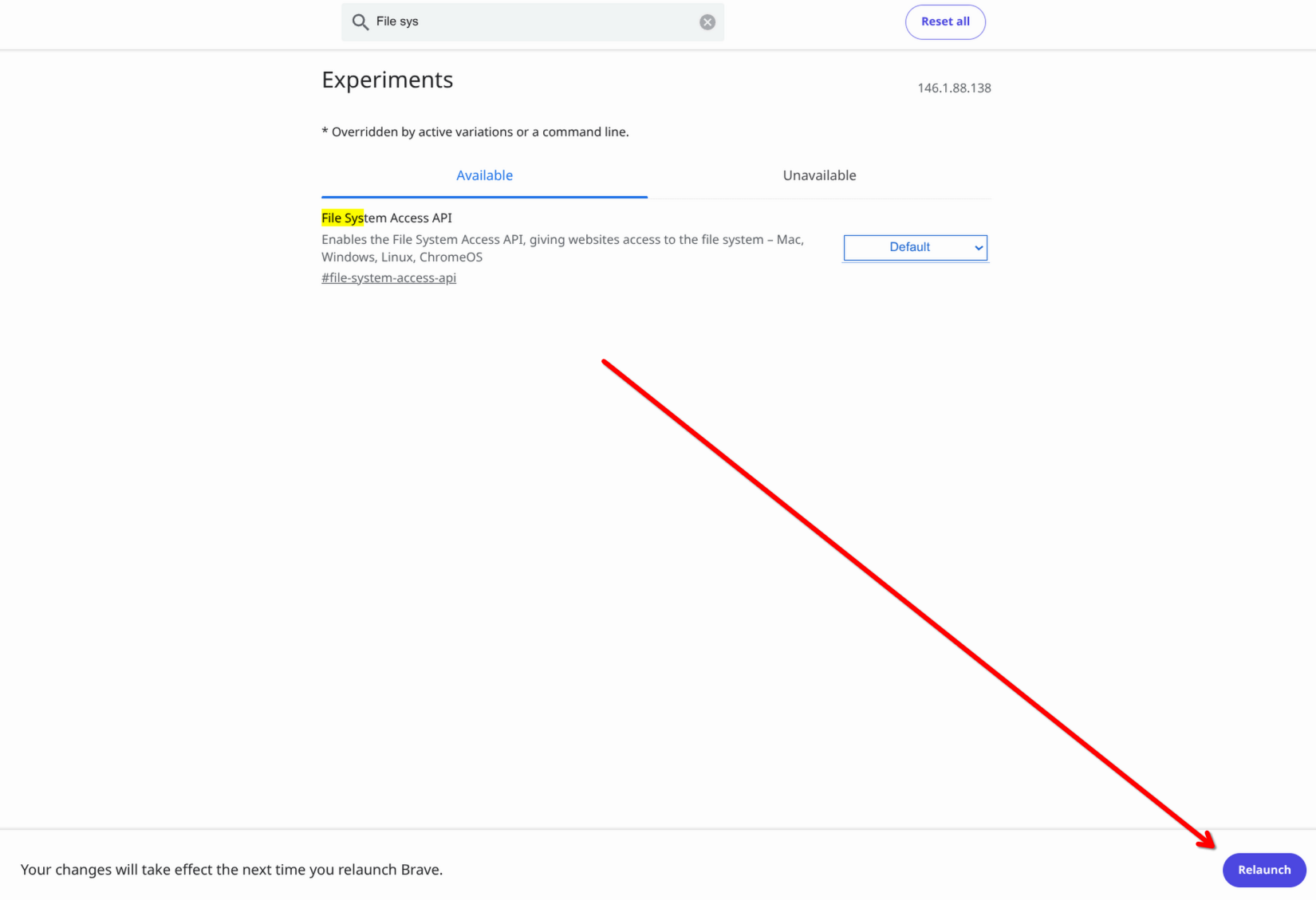
- Select "Relaunch" at the bottom right.